Trading pairs
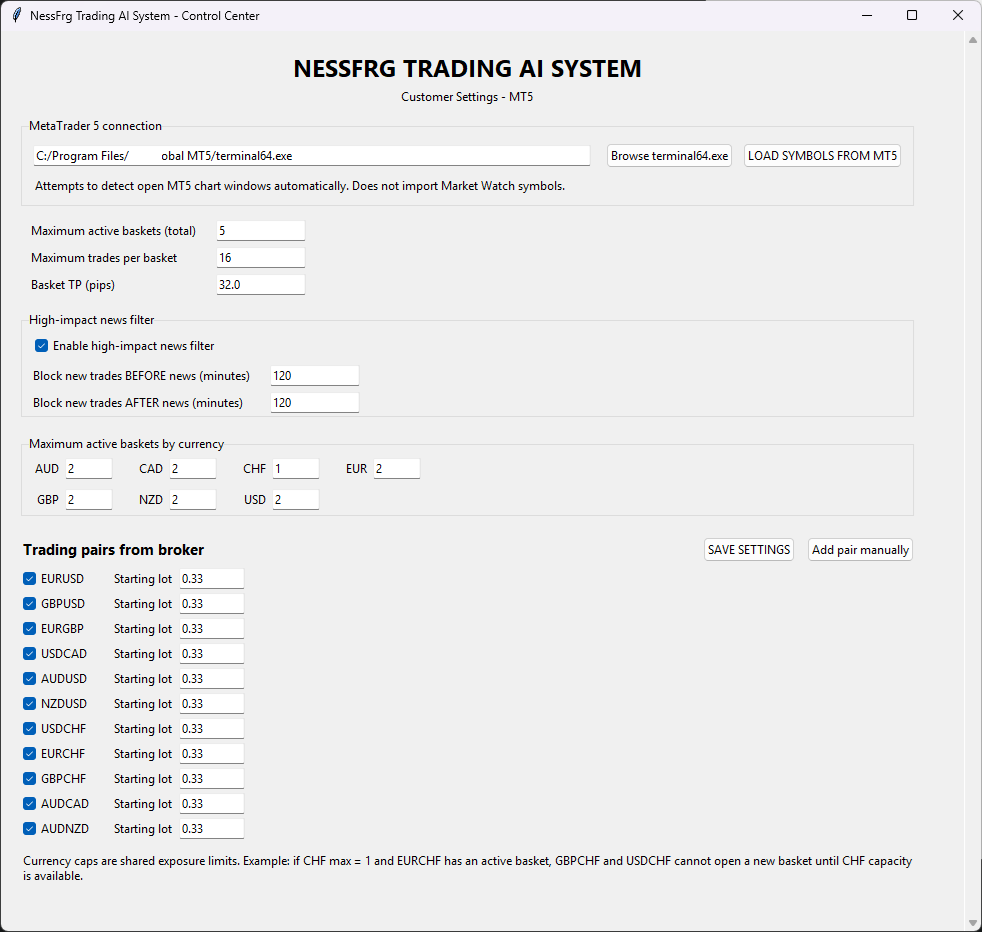
Choose available trading symbols through your compatible MT5 broker, subject to software and broker compatibility. The default Forex pairs have received the most testing; demo-test other instruments first.
 NESSFRGTRADING AI SYSTEMGet lifetime access ↗
A practical guide to what the NessFrg application does, what it requires, and what you remain responsible for when using automated trading.
NessFrg is a separately licensed Windows application used with MetaTrader 5 and your chosen broker. It does not hold client funds, provide a brokerage account or make personalized investment recommendations. The user supplies and maintains the trading environment, monitors account risk and decides when to enable automation.
Choose available trading symbols through your compatible MT5 broker, subject to software and broker compatibility. The default Forex pairs have received the most testing; demo-test other instruments first.
Set the initial trade size for each enabled instrument within the software’s available controls.
Choose how many NessFrg baskets can be active at once.
Limit concurrent baskets that include the same currency.
Configure the supported basket take-profit distance.
Use the high-impact news controls for relevant market announcements.
Compatible Windows computer. NessFrg is not an Android, iOS, macOS or browser-only trading application.
MetaTrader 5 desktop terminal supported by your chosen broker. MetaTrader 4 is not supported.
Required local Ollama AI environment and its compatible model, installed and maintained according to the provided instructions.
Actual suitability depends on your computer resources, MT5 environment, broker configuration and software version. Check the installation guide supplied after purchase and ask support if you need clarification.
Automation can consistently apply configured logic, but cannot ensure profitable trades or uninterrupted execution. Forex and CFDs may use leverage that magnifies losses. Broker pricing, spreads, commissions, overnight costs, slippage, market gaps, execution delays and unexpected volatility can all change trading results. Read the Risk Disclosure and Refund Policy before purchasing.
Related: MT5 Forex trading bot · Automated trading software · Full FAQ
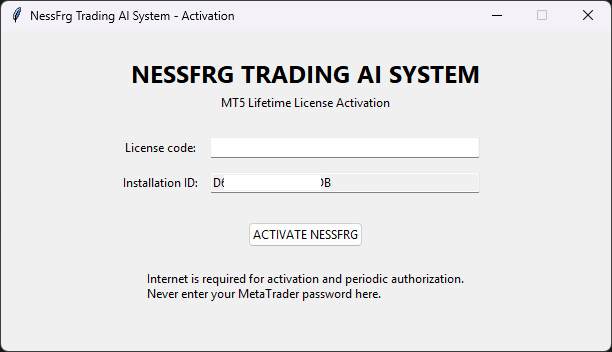
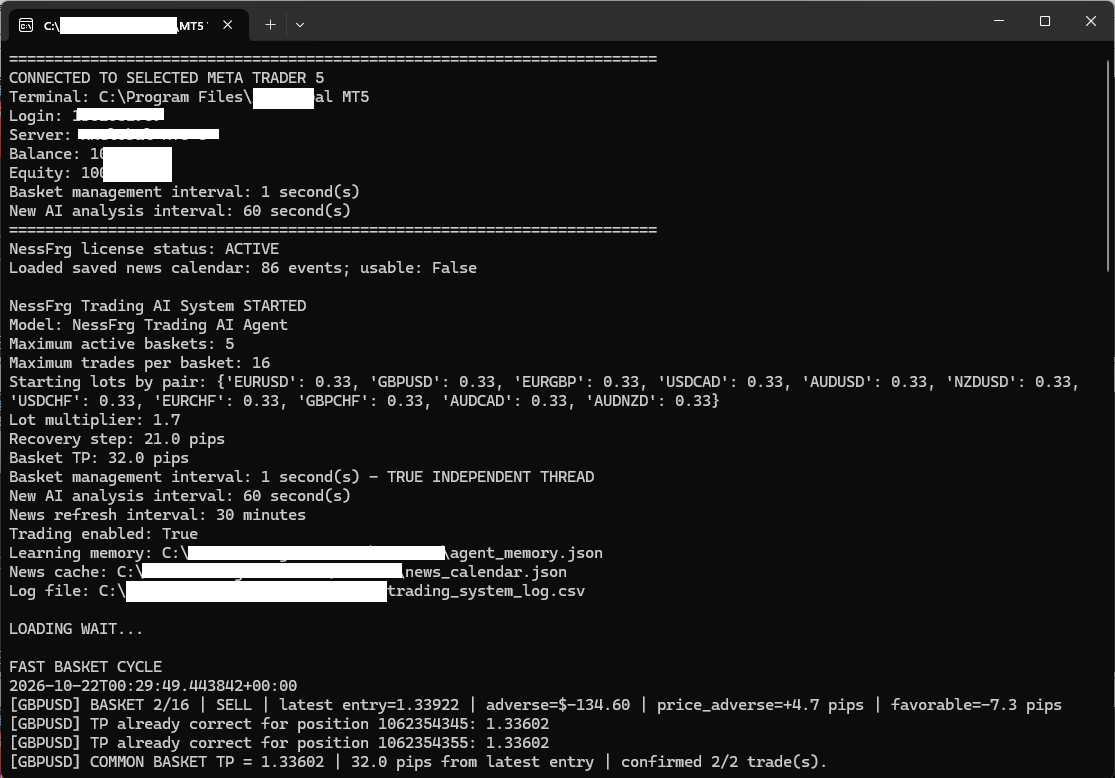
Explore real views of the license activation, customer Control Center and live agent console. Screens reflect a specific software version and configuration; settings may differ by installation.