Automated execution
Eligible setups may be executed without manual order entry once required checks have passed.
 NESSFRGTRADING AI SYSTEMGet lifetime access ↗
Explore the real NessFrg interface, supported workflow, customer controls and important risks—without disclosing proprietary strategy logic.
NessFrg Trading AI System is Windows desktop software designed to work alongside a supported MetaTrader 5 (MT5) terminal. It evaluates configured trading instruments available through a compatible MT5 broker, uses technical confirmation and a local AI review layer, and can automatically open, manage and close trades according to its rules and the settings chosen by the customer.
It is a software tool, not a brokerage account, investment adviser, or managed investment service. You retain responsibility for your broker, trading account, capital, leverage and monitoring.
Eligible setups may be executed without manual order entry once required checks have passed.
A local Ollama-based review contributes to decision-making after the system’s qualifying checks. AI cannot override a failed technical gate.
Separate monitoring of active trade baskets and configured exits continues after entries are placed.
A high-impact news filter can prevent new entries around relevant announcements while existing baskets continue to be managed.
Configure supported instruments, starting lots, basket limits, currency exposure and other available settings.
Built for a compatible Windows computer with a supported MetaTrader 5 desktop terminal and required local AI environment.
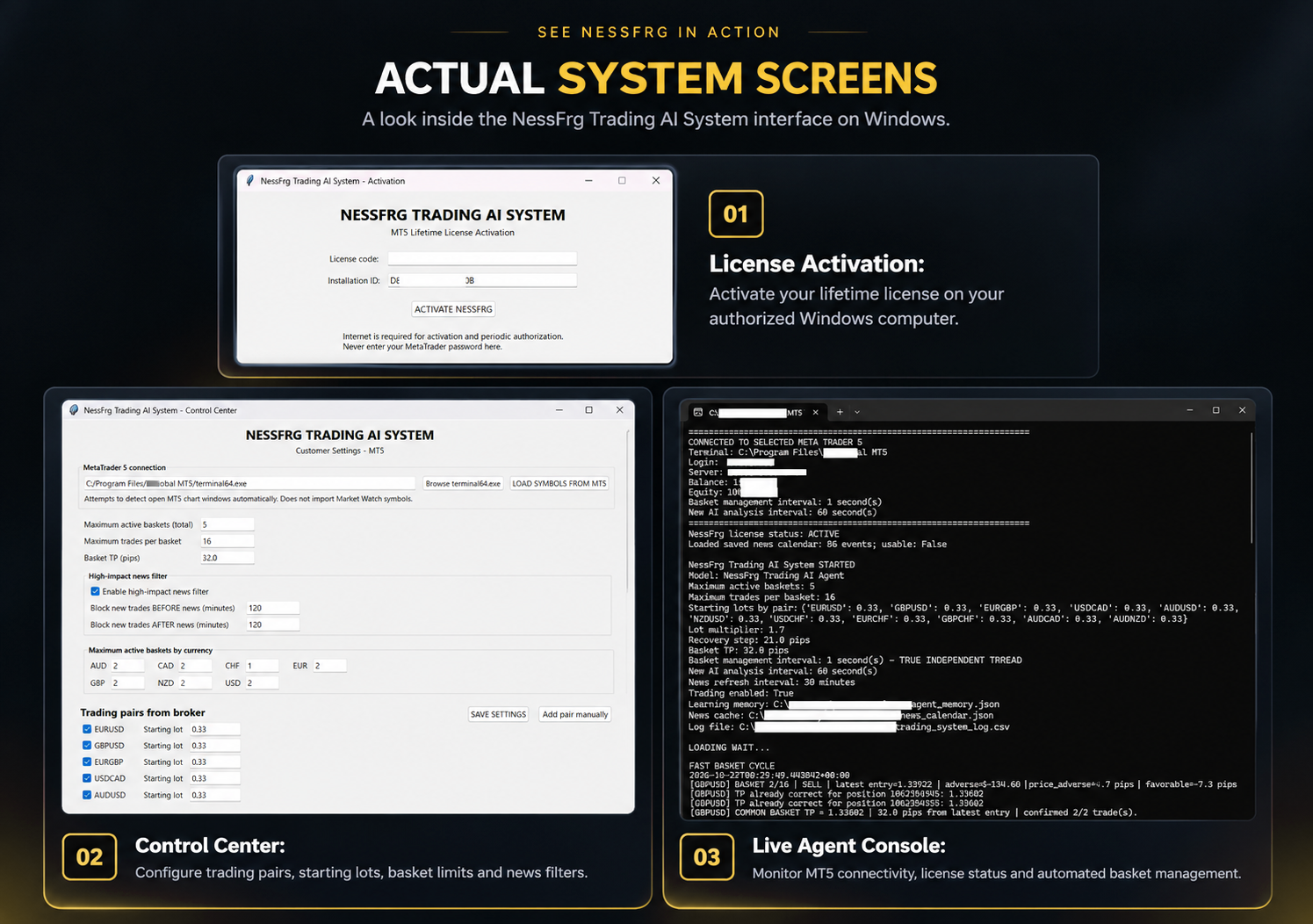
Actual NessFrg system interface. Screens are illustrative of software operation, not evidence of trading returns.
Install the supported MT5 desktop terminal through your broker and configure the required local AI components.
Use your personal license key on one authorized Windows computer. Select supported pairs and customer-controlled parameters.
Keep the required environment running and monitor broker positions, margin, connectivity and software activity. Automation does not remove the need for oversight.
Leveraged Forex and contracts for difference (CFDs) are speculative. Margin calls, stop-outs, slippage, spread changes, price gaps, liquidity, news events, software errors, outages and configuration mistakes can cause rapid losses. No automated strategy can eliminate these risks. Read the full risk disclosure and consider a demo account before live use.
Related: MT5 Forex trading bot · Automated trading software · Full FAQ